How to Fix a Fast Charger Not Charging at Full Speed?

Time:2026-11-21 Author:Sophia
0%

A fast charger may look powerful on its label, yet your phone can still charge slowly. That does not always mean the charger is faulty. Charging speed depends on the phone, adapter, cable, battery level, temperature, and supported charging standards working together.

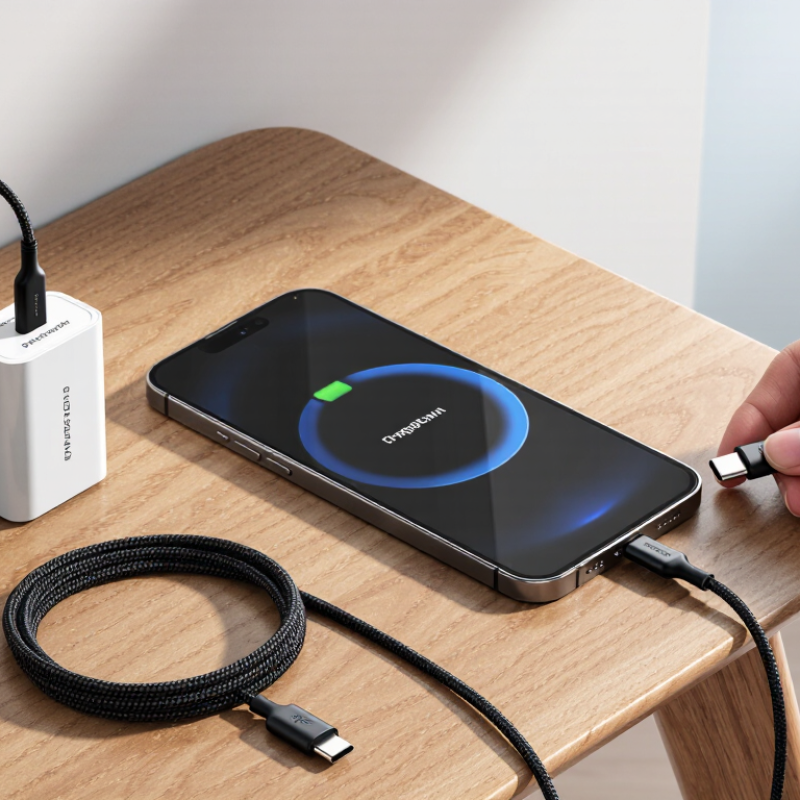
If you are asking, “Why is my fast charger not charging at full speed,” start by checking the complete charging setup. A cable that is frayed, unusually thin, or not rated for your device may limit power. A charger can also provide less power than expected when it uses a different charging protocol. Check the specifications for both your phone and adapter, rather than relying only on a high wattage printed on the charger.

Temperature matters. If your phone feels warm, its charging system may reduce power to protect the battery. A bright screen, navigation app, or game can also consume energy while the phone is plugged in. Try charging with the screen off, using a compatible wall adapter and cable, in a cool, well-ventilated place. Start with basics. If charging remains slow, inspect the port for visible lint or damage; do not force objects inside it. That is normal. Sometimes, though, the first explanation is wrong. Testing one compatible cable or adapter at a time can help narrow down the cause before you replace anything. This guide covers practical checks, what charging behavior can be expected, and when a manufacturer or qualified repair professional should inspect the device.
How to Fix a Fast Charger Not Charging at Full Speed?

Understand the Charger and Device’s Maximum Charging Speeds

A fast charger can only deliver power that both the charger and device support. Check the device’s specifications for its maximum wired charging rate, then compare that figure with the charger’s output. A charger rated for 65 watts will not make a phone designed for 25 watts charge faster. The device sets the ceiling.

The numbers can be confusing. Some chargers list several output levels, and the device may use only one compatible charging standard. The cable matters too: a worn or low-capacity cable can limit power even when the charger is suitable.

Charging speed also changes as the battery fills. Near 80 percent, many devices slow down to manage heat and battery wear. Warmth is normal, but a hot device may reduce speed further. That detail is easy to miss.

Tips: Check the charger and device specifications, use a cable rated for the required power, and test with the screen off. Compare charging over the same battery range, such as 20 to 50 percent; a single reading can mislead. If speed remains low, inspect the port for lint or damage, but don’t insert metal tools. Even then, exact charging rates can vary.

Check the Power Adapter, Cable, and Connection

A fast charger may still work while delivering much less power than expected. Check that the power adapter supports the charging rate your device can accept. A low-wattage adapter can charge steadily, just more slowly. Small details matter. Look for a loose plug, bent prongs, or unusual heat. If the adapter feels very hot, unplug it and let it cool before testing again.

Inspect the cable from end to end. Fraying near the connector, kinks, or a wobbly plug can interrupt power. Try a known-good cable that supports fast charging; some cables carry power but cannot handle higher charging rates. Also check the device’s charging port. Pocket lint can prevent a firm connection, so remove debris gently with a dry, non-metal tool. Never force anything into the port. Try another outlet, too.

Tips: Connect the adapter directly to a wall outlet, then reseat both cable ends until they fit snugly. Test one change at a time, and note whether the charging speed improves. That can feel slow, but it helps identify the cause. If several compatible adapters and cables still charge slowly, check the device’s charging settings or seek qualified service.

How to Fix a Fast Charger Not Charging at Full Speed?

Check the power adapter, cable, and connection. The lowest-rated compatible component can limit the charging power.

These examples show theoretical power ceilings, not measured charging speeds. They assume compatible USB Power Delivery profiles: a 3 A USB-C cable supports up to 60 W at 20 V, while a 5 A cable rated for 100 W supports up to 100 W. Actual charging may be slower. Check the adapter and device ratings, use a suitably rated cable, and make sure both connectors are clean and fully seated.

Review Battery Level, Temperature, and Charging Settings

A fast charger may slow down when your battery is nearly full. Phones often reduce charging power at higher levels to limit heat and battery wear. Check the percentage before troubleshooting. If charging is slow at 85 percent, the charger may be working as intended. Temperature matters, too. A warm phone can pause or reduce charging, especially during navigation, gaming, or video calls. Remove a thick case and let the device cool in a shaded, ventilated place. Do not put it in a refrigerator. It is easy to blame the charger too quickly.

Tips: Check the battery level, close demanding apps, and feel the back of the phone. If it is hot, unplug it briefly and let it cool. Small changes can help.

Review charging settings for options such as optimized or adaptive charging. These may hold the battery near a set level or delay a full charge based on your routine. Turn off a limit only if you need a fuller battery soon. Settings vary by device, so check its built-in help. Also confirm that low-power modes or scheduled charging are not affecting behavior. If charging remains unusually slow with a cool phone and a low battery, inspect the cable and adapter for damage. One test is not proof; compare results under similar conditions.

Test for Software Issues or Background Power Use

When a fast charger seems slow, check whether the phone is charging slowly or simply losing power while plugged in. Streaming video, navigation, cloud backups, and a bright screen can consume energy during charging. The battery percentage may climb slowly even when the charger is delivering power normally. Small detail, big confusion.

Close demanding apps, dim the screen, and leave the phone untouched for 15 minutes. Compare that result with a second test after restarting the phone. Android Vitals documentation treats a background partial wake lock lasting more than two hours in 24 hours as excessive. That threshold is a useful warning, not proof that one app caused slow charging. Check battery-usage settings for apps active while the screen is off, then pause likely culprits and repeat the test.

A USB power meter can show whether input power changes between tests, but readings vary with battery level and temperature. This test is not perfect. Phones often reduce charging power as batteries warm or approach full capacity. If the screen-off test improves, background activity may be part of the problem. If it does not, software may not be the cause; temperature, cable condition, and charging settings still deserve attention.

Identify When the Charger or Device Needs Repair

A fast charger that suddenly slows down may have a failing cable, a dirty port, or a battery issue. Check the device’s charging screen and compare it with its usual charging time. Use a compatible, undamaged cable and adapter, then test another wall outlet.

USB-IF’s USB Power Delivery 3.1 specification allows up to 240 watts for supported equipment. That is a maximum, not a promise: the charger, cable, and device must negotiate a compatible power level. A mismatched cable can quietly limit charging.

Look closely at the connector. A loose fit, bent contact, or visible residue can interrupt power; do not scrape the port with metal. If the same charger works normally with another compatible device, the original device may need inspection.

Repeated pauses, unexpected shutdowns, or a battery that drains unusually fast can also point to battery wear. Not every slow session means damage. Heat can reduce charging speed, so remove a thick case and let the device cool on a hard surface.

If the port feels loose or charging changes when the plug moves, seek qualified repair.

Stop using the device if its battery swells, leaks, or becomes unusually hot.

A quick diagnosis can miss intermittent faults; I would not treat one successful test as proof that everything is fine.

FAQS

Why doesn’t a higher-wattage charger make my device charge faster?

The device sets the maximum charging speed. A 65-watt charger cannot make a device designed for 25 watts charge faster.

Can the cable slow down charging?

Yes. Some cables carry power but cannot support higher charging rates. Try a compatible, undamaged cable.

Why does charging slow near 80 percent?

Many devices reduce speed as the battery fills to manage heat and battery wear. That is often normal.

What should I check if the charger feels hot?

If it feels very hot, unplug it and let it cool. Heat can reduce charging speed.

How can I test charging speed more reliably?

Compare the same battery range, such as 20 to 50 percent, with the screen off. One reading can mislead.

Could pocket lint affect the connection?

Yes. Lint can stop the plug from fitting firmly. Remove debris gently with a dry, non-metal tool.

How can I tell whether the charger or device may need repair?

Test a known-good adapter and cable with another compatible device. If charging changes when the plug moves, seek qualified repair.

When should I stop using the device?

Stop if the battery swells, leaks, or becomes unusually hot. A quick test can miss an intermittent fault.

Conclusion

Why is my fast charger not charging at full speed? The cause may be a mismatch between the charger’s output and the device’s maximum supported charging rate. Start by checking that the adapter and cable are suitable for your device, then make sure every connection is secure and the charging port is clean and undamaged. A loose or unsuitable cable can limit power even when the adapter itself is capable of fast charging.

Charging speed can also slow as the battery fills, or when the device becomes too warm or too cold. Review battery and charging settings, and close apps or processes that use substantial power in the background. Restarting the device may help rule out a temporary software issue. If charging remains unusually slow after these checks, test with known-compatible charging accessories; persistent problems may indicate a damaged cable, adapter, port, or battery that needs professional inspection.

Sophia

Sophia

Sophia is a dedicated marketing professional with an exceptional depth of knowledge about her company's products and services. With a keen understanding of market trends and customer needs, she crafts insightful blog posts that not only inform but also engage readers, enriching the company’s online......