Lithium-ion batteries power phones, laptops, scooters, and countless everyday devices. Their convenience can make charging feel harmless. Yet heat, damaged cells, and unsuitable chargers can turn a routine overnight charge into a safety concern. The International Energy Agency’s Global EV Outlook 2024 reported that electric-car battery demand exceeded 750 gigawatt-hours in 2023. That figure reflects growing battery use, not a forecast of household failures. Still, it shows why careful battery care matters.
Swelling is a warning sign, not a cosmetic flaw. A raised phone screen, split case, or soft, bulging battery deserves attention. Stop charging and using the device; follow the manufacturer’s instructions for safe service or disposal. The U.S. Consumer Product Safety Commission advises using the charger supplied with a product or one approved by its manufacturer. UL standards, including UL 1642 for lithium cells and UL 2054 for household batteries, provide further safety benchmarks. Certification cannot prevent every failure. No checklist is perfect.
This guide explains How to prevent battery overcharging and swelling issues through practical charging habits, sensible storage, and early warning signs. Keep devices on hard, open surfaces, away from bedding and direct sunlight. Unplug chargers when charging is complete, especially if the device becomes unusually warm. Avoid swollen batteries entirely. One detail is easy to overlook: a familiar charger may still be unsuitable. Follow device-specific guidance, and seek qualified help when anything seems wrong.
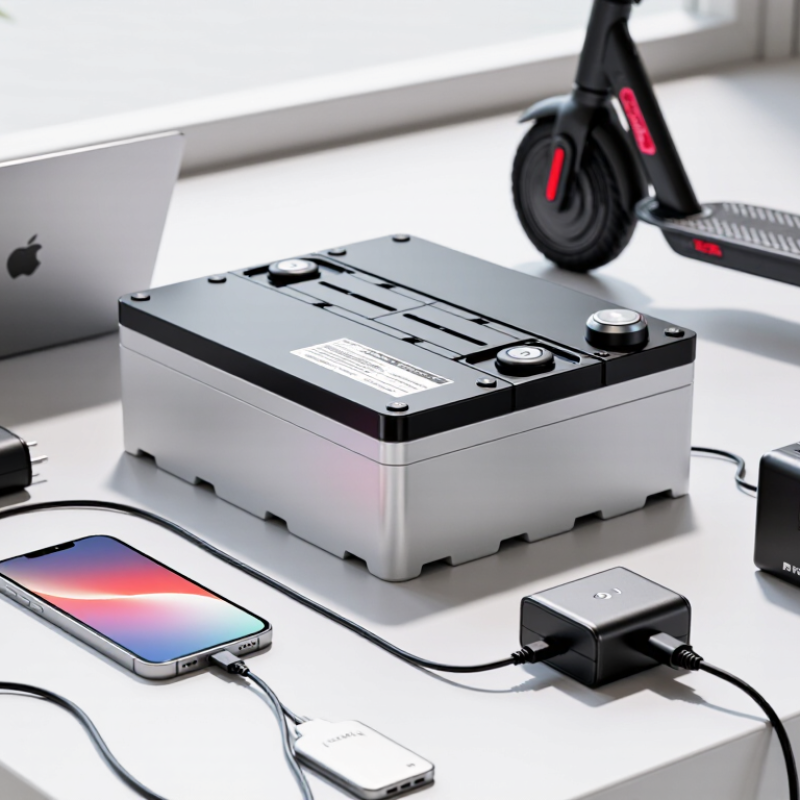
Battery overcharging happens when a cell continues receiving energy after it is full. Most modern devices use charge-control circuits to limit this, so reaching 100% does not automatically mean the battery is being overcharged. Problems can arise if the device is damaged, overheats, or uses faulty charging equipment. Age matters, too. A battery that once stayed cool may behave differently after years of daily charging.
Swelling usually means gas has built up inside a lithium-ion battery after unwanted chemical reactions. Heat, physical damage, manufacturing defects, and deep aging can contribute. The case may bulge near a screen or trackpad, or the device may wobble on a flat table. It can be easy to blame overnight charging alone. That explanation is incomplete; swelling can develop even when charging habits seem careful. Never press or puncture the battery to check it.
Stop charging and using a device if its battery looks swollen. If you can do so without squeezing or bending it, power the device off. Keep it away from heat and flammable materials, and ask a qualified repair professional about safe handling. Don’t try to remove a built-in battery yourself. For routine charging, use compatible, undamaged equipment and avoid charging a device under bedding, where heat can build up. Small habits help, but they cannot repair a failing cell.
Battery swelling is often linked to aging, physical damage, excessive heat, or faults inside the cell. Charging in a hot car or beneath bedding can trap heat around a device. A damaged cable or unsuitable charger may also contribute, though the battery itself could be worn. It is easy to blame the charger; sometimes the cause is less obvious. Modern devices have charging controls, but those controls cannot prevent every failure.
Watch for a screen lifting at one edge, a case seam opening, or a device that no longer sits flat. The battery may also feel unusually warm, smell odd, or lose charge quickly. Small changes matter. A bulging case is not just cosmetic, and pressing it flat can make the damage worse.
If you notice swelling, stop charging and switch the device off if you can do so safely. Do not squeeze, puncture, or keep using it. Keep it away from paper, bedding, and other flammable materials, but avoid handling it if it is hot, smoking, or hissing. Contact a qualified repair service for safe handling and disposal advice. A slight gap can be easy to dismiss; that is exactly why checking early helps.
| Topic | What to Know | Warning Signs | Practical Action |
|---|---|---|---|
| Overcharging protection | Most modern devices stop or reduce charging when the battery reaches its target level. A working charging system lowers overcharge risk, but it cannot prevent every fault or heat-related problem. | Unusual warmth while charging, repeated charging interruptions, or a battery that no longer holds charge normally. | Use a compatible, undamaged charger and cable. If charging behavior or temperature seems abnormal, unplug the device and follow the manufacturer’s guidance. |
| Heat during charging | High temperatures can accelerate lithium-ion battery aging. Heat may come from a warm environment, heavy device use, direct sunlight, or blocked ventilation. | The device becomes unusually hot, especially when it is idle or charging in a cool room. | Charge on a hard, ventilated surface away from direct sunlight. Avoid covering the device and pause demanding tasks if it becomes hot. |
| Charging temperature | Permitted charging temperatures vary by device and battery design. Charging in very hot or cold conditions can be restricted or harmful. | A temperature warning appears, charging pauses, or the device feels unusually cold or hot. | Follow the device’s specified operating and charging temperature range. Let a very cold or hot device return to a suitable temperature before charging. |
| Battery swelling | Swelling can result from internal chemical changes associated with aging, heat, damage, or a battery fault. It is not proof of overcharging alone. | A raised screen or back panel, a widening case seam, a bulging battery, or a device that no longer sits flat. | Stop using and charging the device. Do not press, puncture, bend, or attempt to remove a swollen battery yourself. Arrange professional service or battery recycling. |
| Physical damage | Impacts, crushing, punctures, or liquid exposure can damage a battery and create a safety risk, even if the device initially appears to work. | Visible dents, cracks, leakage, smoke, a chemical odor, or sudden unusual heating. | Stop use and keep the device away from flammable materials. If it is smoking or burning, move away and contact local emergency services. |
| Charging habits | Repeatedly keeping a battery at a high state of charge can contribute to long-term aging. A full charge by itself does not mean the battery has been overcharged. | Gradually shorter runtime or noticeably reduced battery capacity over time. | If the device offers an optimized or charge-limit setting, consider using it when convenient. Follow the device’s own battery-care instructions. |
| Long-term storage | A lithium-ion battery can lose capacity if stored for a long time completely full or fully discharged, particularly in a hot place. | The device has been unused for months and will not power on or charge normally. | For extended storage, follow the manufacturer’s instructions; many recommend a partial charge and a cool, dry storage location. Check the device periodically. |
Choose a charger that matches your device’s charging standard and power requirements. A higher-wattage adapter is not automatically unsafe: compatible devices negotiate power, but mismatched or poorly made equipment can create problems. Check the charger’s safety certification, use an undamaged cable, and replace one with frayed insulation or a loose connector. Small details matter. Keep the device on a hard, uncovered surface, not beneath bedding, where heat can build up.
Use built-in settings such as optimized charging or an 80% charge limit when available. Battery University’s technical guide on lithium-ion charging estimates that lowering a cell’s maximum voltage from 4.20 to 4.10 volts can roughly double cycle life, while reducing capacity by about 10%. A phone’s charge-limit setting is not the same as manually setting cell voltage, but it can reduce time spent at a full charge. Avoid charging in hot places, such as a sunlit dashboard. Heat and high charge levels are a rough combination.
Modern devices usually stop active charging when full, so an occasional overnight charge is not automatically a cause of swelling. Still, settings and surroundings help. I sometimes forget to check the cable near the plug; that small bend deserves attention. If a device becomes unusually hot, or its case starts lifting, unplug it and stop using it. Don’t press a swollen battery flat.
A healthy charging routine starts with temperature. Place the device on a hard, open surface, such as a desk, rather than under a pillow or blanket. Trapped heat can stress a battery over time. If the phone feels unusually hot, disconnect it and let it cool in a shaded, ventilated spot. Do not put it in a refrigerator.
Use a charger and cable that meet the device’s specifications, and replace cables with frayed insulation or bent connectors. You do not need to hover over the battery percentage. Many devices manage charging automatically, but habits still matter: avoid leaving a warm device plugged in for long periods, especially in direct sunlight. Charging overnight may be convenient; keep the device uncovered and follow its manufacturer’s guidance. Small adjustments help.
Perfect routines are unrealistic. Maybe you forget to unplug a device or charge it in a warm room once in a while. Pay attention to repeated heat, rapid battery changes, or a case that suddenly bulges. Those signs may point to a damaged or swollen battery, not simply a charging mistake. Stop using and charging the device, and seek qualified service. Never press, puncture, or try to flatten a swollen battery.
A swollen battery is not a minor cosmetic defect. It signals internal gas buildup and possible cell damage. The U.S. Fire Administration warns that damaged lithium-ion batteries can enter thermal runaway and may reignite after a fire seems controlled. CPSC data also recorded more than 25,000 overheating or fire incidents involving micromobility products from 2017 to 2022. The numbers are sobering.
Stop using the device immediately. Do not charge it, press the swollen panel, puncture the casing, or place it in a freezer. If the device is cool and easy to move, place it away from curtains, paper, and other flammable materials. Use a non-combustible surface, such as bare concrete. If it becomes hot, hisses, smells sweet or metallic, leaks, or releases smoke, leave the area and contact emergency services. Keep your hands away.
Handle disposal carefully. Contact local hazardous-waste services or an approved battery collection site before transport. Never place a swollen battery in household rubbish or a regular recycling bin. The U.S. Environmental Protection Agency identifies damaged lithium batteries as a fire risk during collection and transportation. I once assumed unplugging a warm device was enough. It was not a safe assumption. Prevention still matters: use the correct charger, keep vents clear, avoid overnight charging, and stop using batteries with dents, cracks, or unusual heat. A little caution feels inconvenient. Less than a fire.
Charging temperature matters: 0–45°C (32–113°F) is a common range for lithium-ion cells, but limits vary by battery and device. Check the manufacturer’s guidance, and avoid charging in extreme heat or cold.
If a battery swells: Stop using and charging the device. Don’t press, puncture, or try to remove the battery if it is unsafe to do so. Keep it away from flammable materials if you can do so safely, and contact a qualified repair service or local battery-disposal facility.
No. Compatible devices can negotiate suitable power levels. Still, mismatched or poorly made equipment may create problems.
Match the charger with your device’s charging standard and power requirements. Check safety certification, and avoid damaged cables. Small details matter.
Use a hard, uncovered surface, such as a desk. Do not charge it under bedding, pillows, or blankets. Heat needs space to escape.
Use an optimized charging setting or 80% limit when available. It can reduce time spent fully charged. The battery may last fewer hours daily.
Lowering maximum cell voltage may roughly double cycle life, while reducing capacity by about 10%. Device charge limits are not identical to manual voltage control.
No. Modern devices usually stop active charging when full. Keep the device uncovered and follow its charging guidance. Perfect routines are unrealistic.
Disconnect it and let it cool in a shaded, ventilated place. Do not use a refrigerator. Repeated heat deserves attention.
Watch for a lifting case, rapid battery changes, or unusual heat. Stop using and charging the device. Never press, puncture, or flatten it.
How to prevent battery overcharging and swelling issues starts with understanding that excess heat, prolonged charging, damaged cables, and aging batteries can place stress on a device’s battery. Watch for warning signs such as unusual warmth, a bulging case, a raised screen, or a battery that drains or charges abnormally. Use a compatible, undamaged charger and cable, keep devices in a cool, ventilated place while charging, and follow the manufacturer’s recommended charging settings. Avoid covering a charging device or leaving it in direct sunlight.
Build healthy charging habits by unplugging devices when they are fully charged when practical, checking cables and ports for damage, and avoiding intensive use that creates extra heat during charging. If a battery appears swollen, stop using and charging the device, do not press, puncture, or attempt to remove the battery, and keep it away from heat and flammable materials. Arrange professional service or use an appropriate battery recycling facility for safe handling.

E-Tronde Charger